



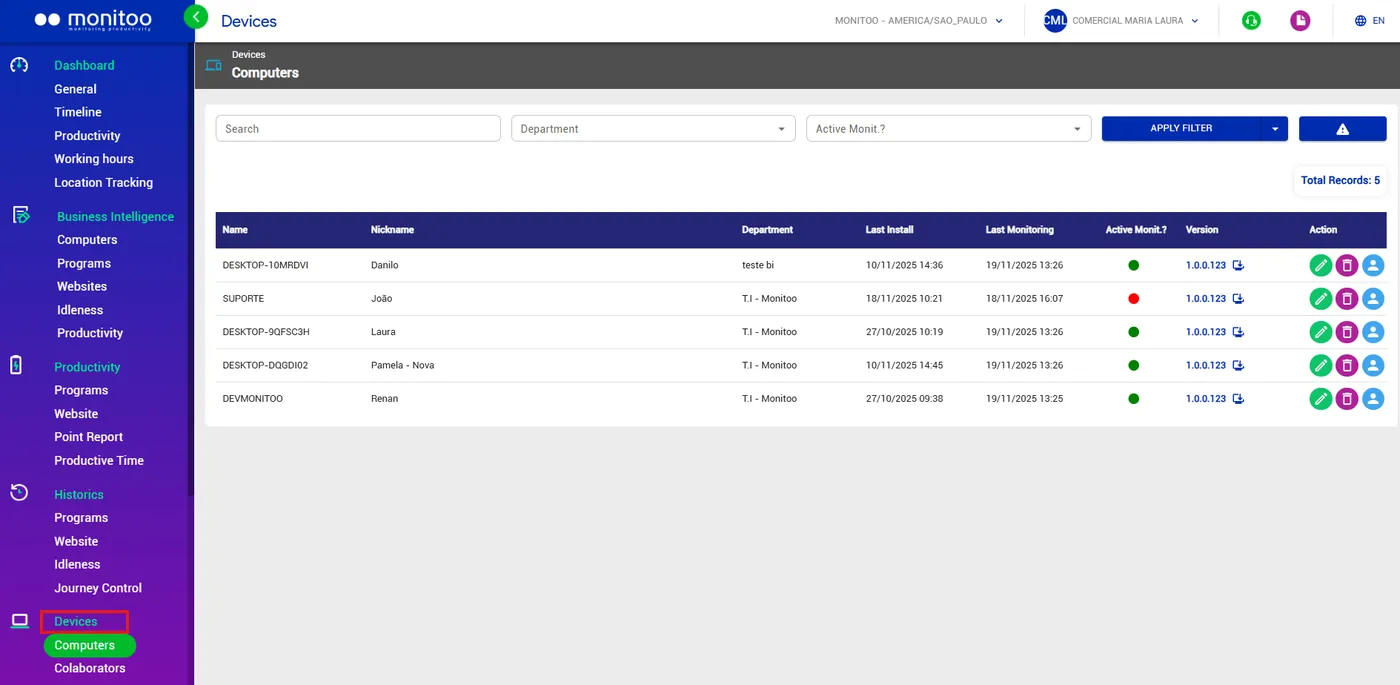
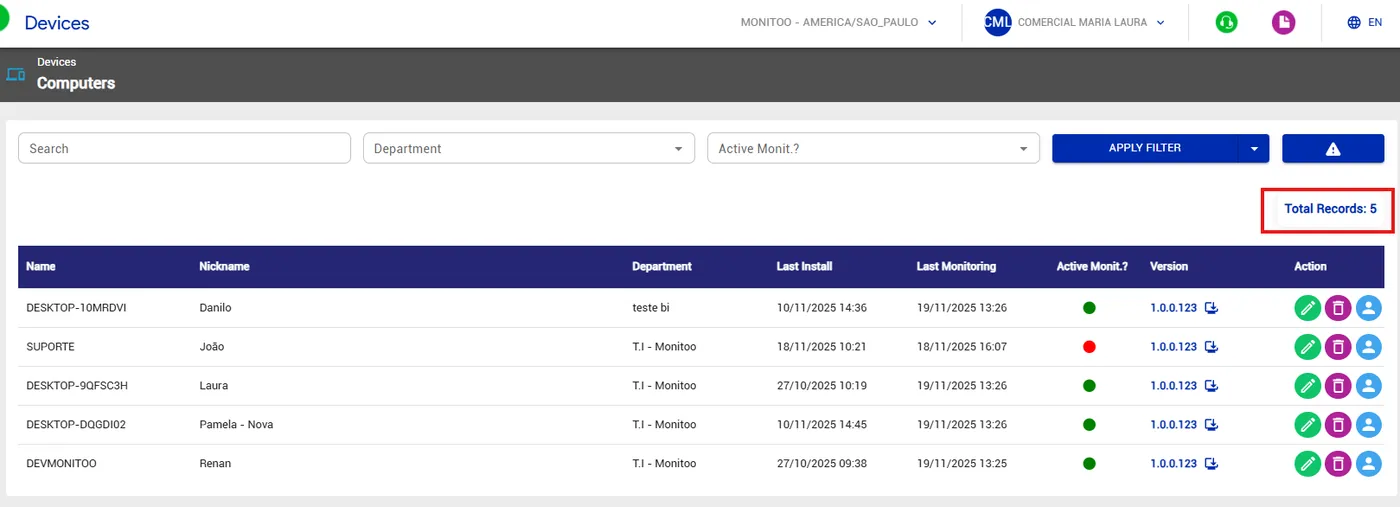
The Devices/Computers feature provides a complete and up-to-date view of the infrastructure where Monitoo is installed.
With it, you can see detailed information about each machine, such as the associated department, date of the last installation, last monitoring activity, activity status (active or inactive), and the Monitoo version in use.
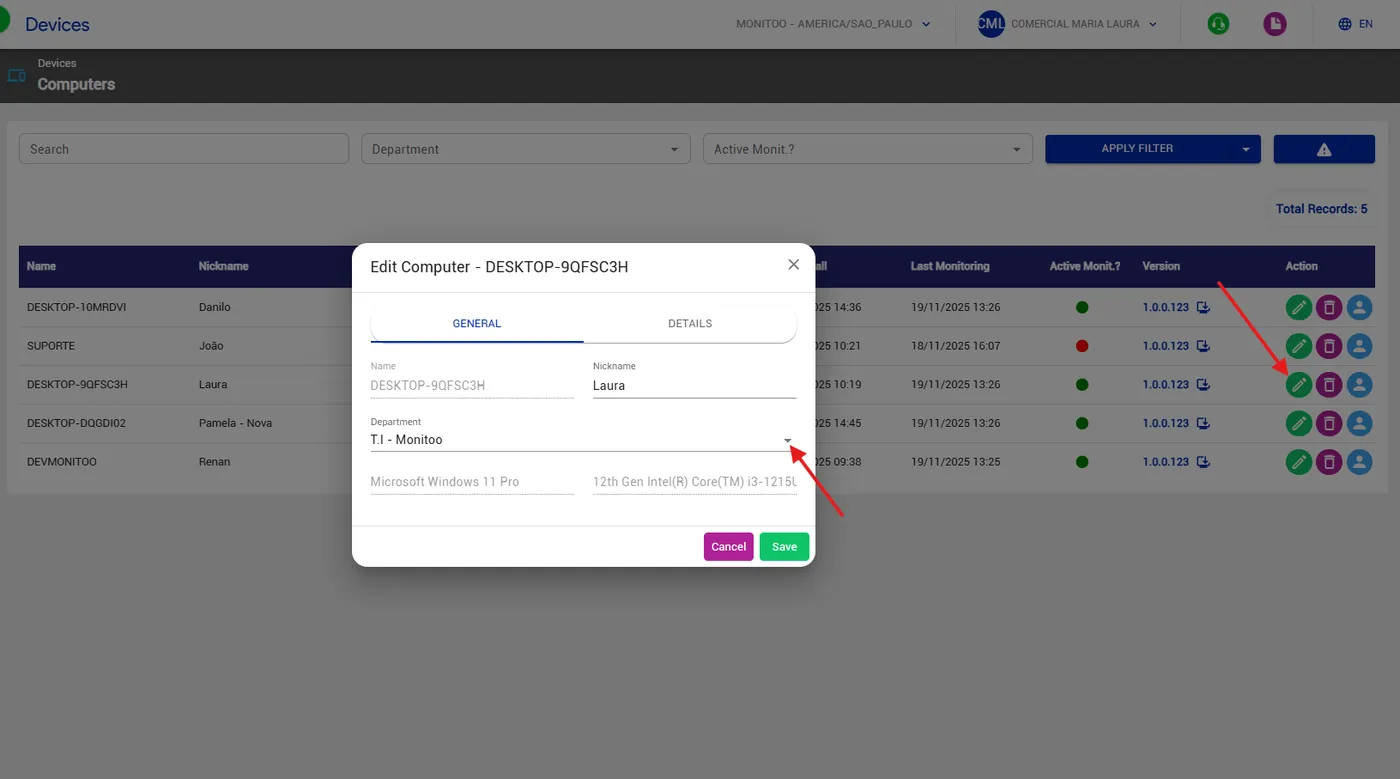
To create departments, simply go to Actions, select the department you want to assign to that machine, and save.
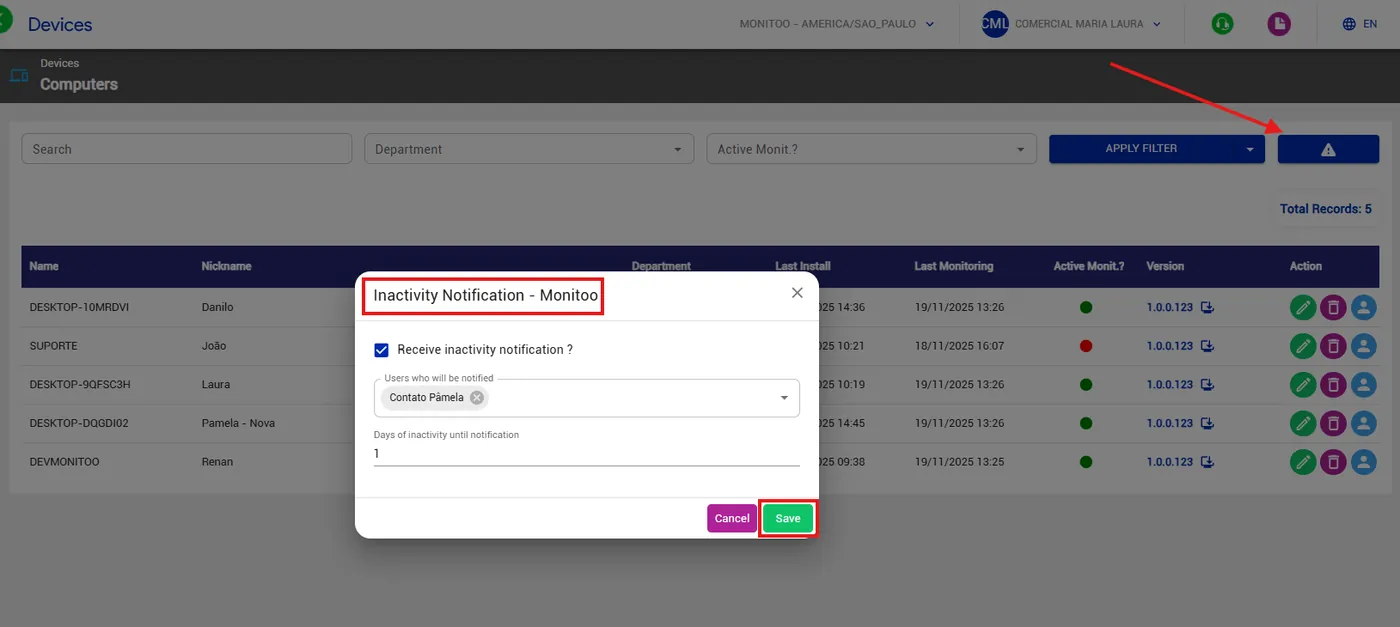
 The system also allows you to configure automatic inactivity alerts, sending notifications to managers whenever a computer remains turned off for more than X days. This ensures quick action and helps maintain full control over the device fleet.
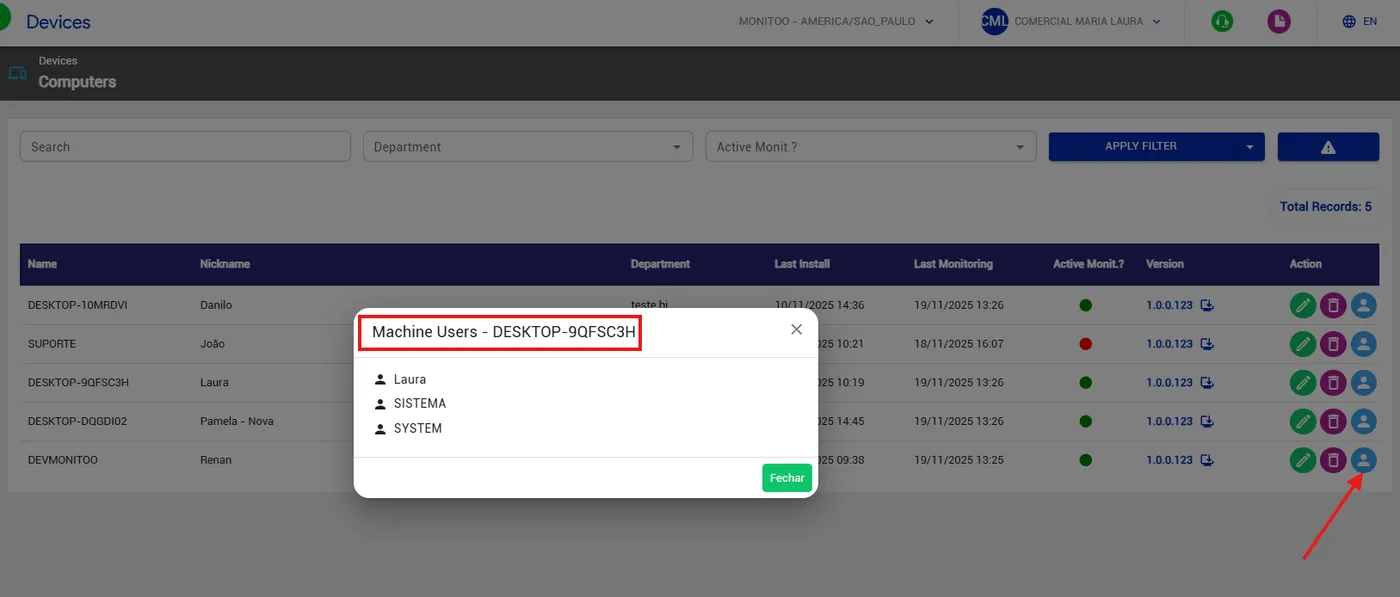
Additionally, in the Actions area, managers can check which users have accessed each computer, ensuring traceability and information security.
 Finally, the dashboard displays a machine totalizer, making it easy to view the total number of monitored devices and simplifying infrastructure management.
Great! Thanks for your feedback.
Tell our team what was missing: contact support on WhatsApp.
