



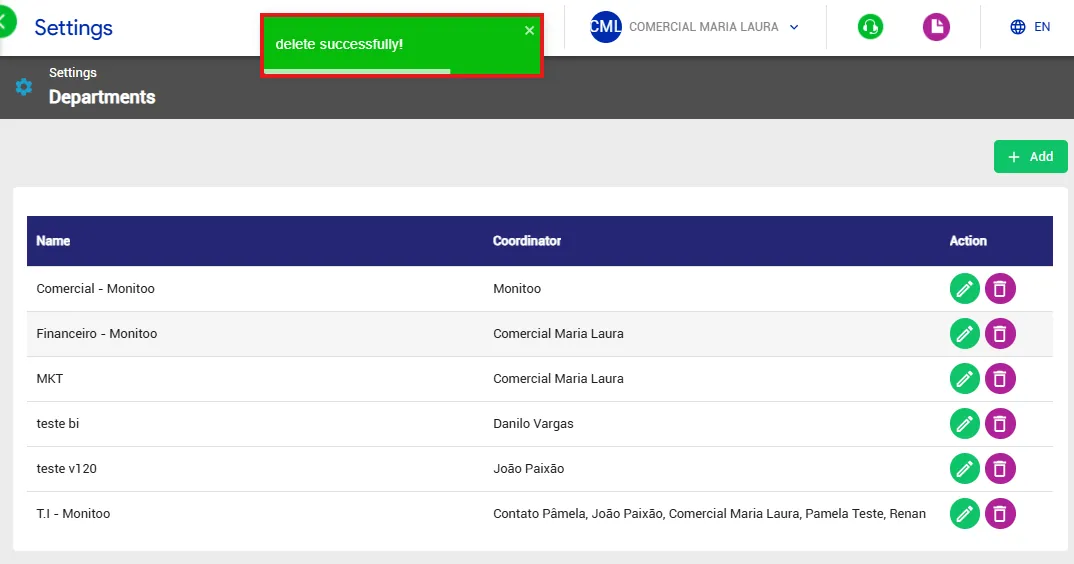
In Settings → Departments, you can create and delete departments, assign responsible managers, and adjust the idle time value for each created department.
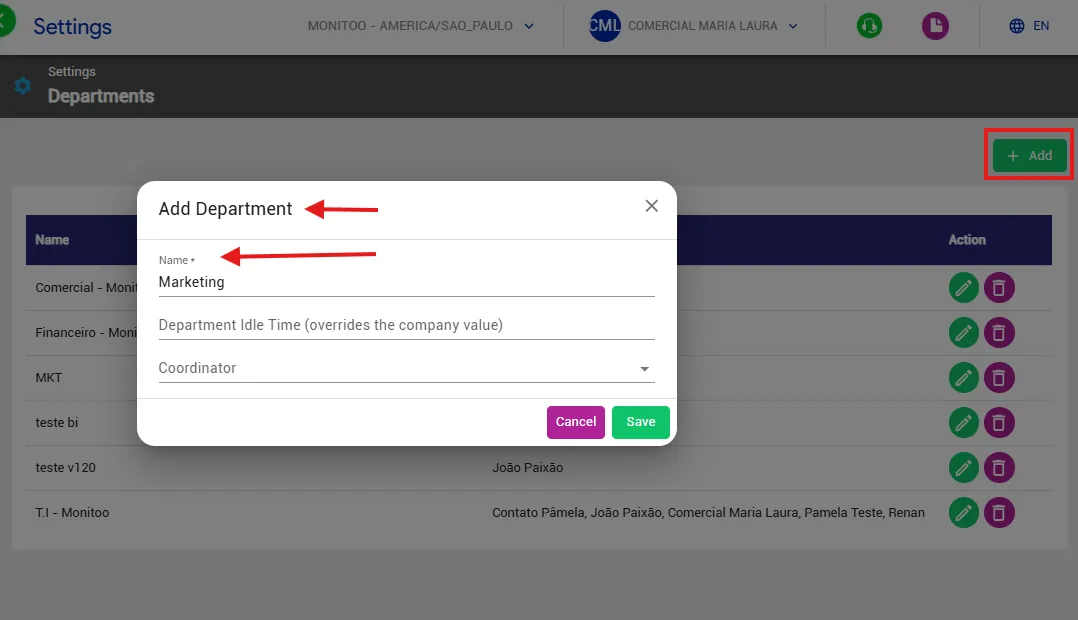
To create a department: Click Add; enter the department name; click Save to complete the registration.
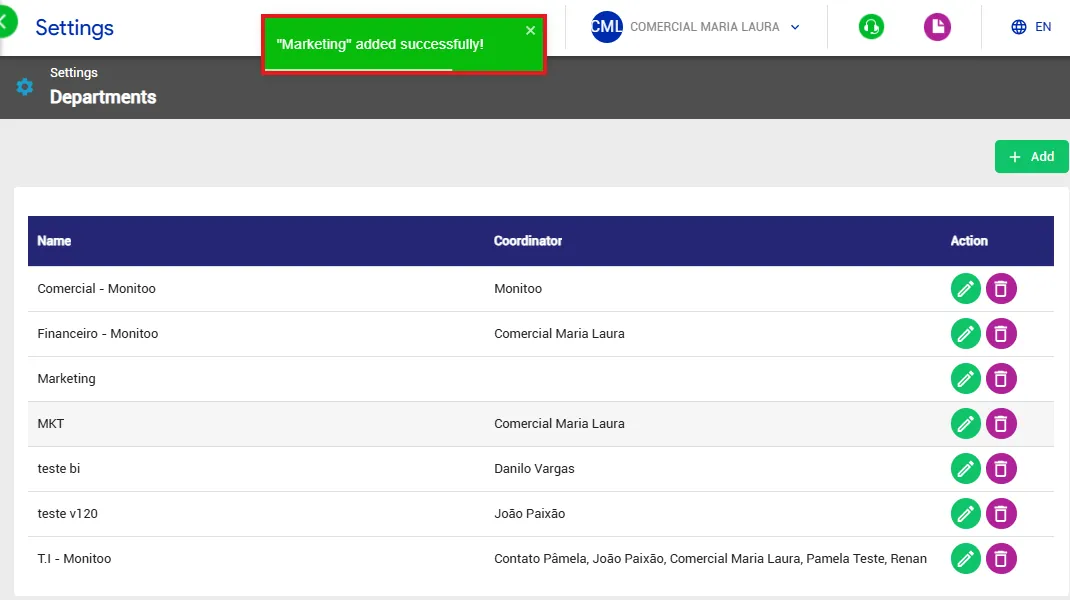
After creating the department, you can associate computers with it in the Devices section.
To see the full step-by-step process, refer to the documentation for the Computers submenu: Understand the Devices Computers Feature.
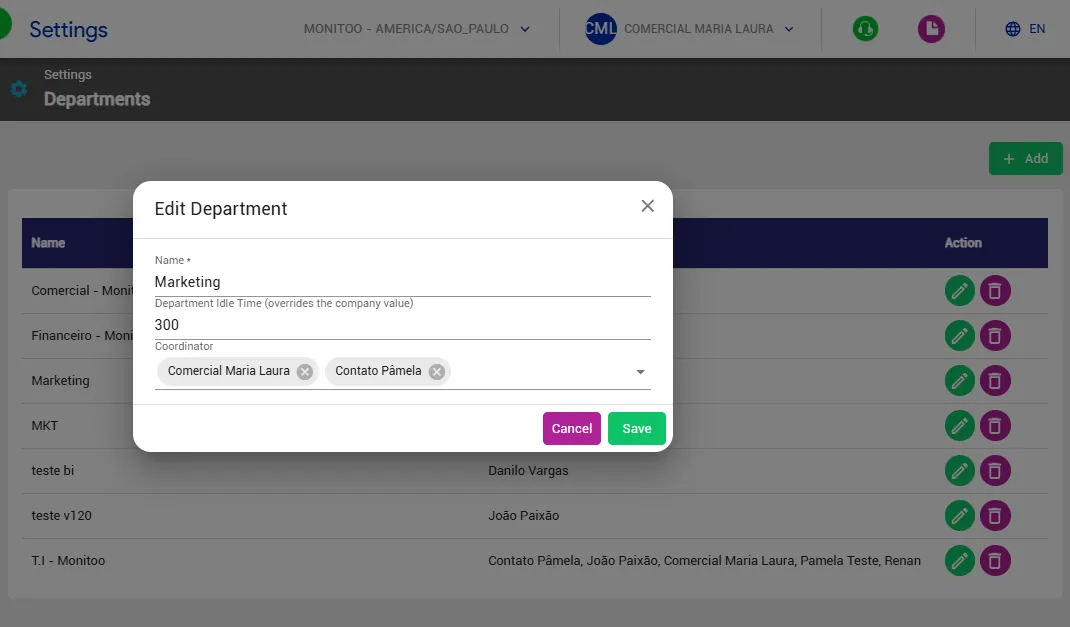
How to assign the manager and set the idle time:
To assign a department manager, go to Actions and select the user in the Coordinator field.
To adjust the department’s idle time, define the duration (in seconds) after which the system should consider the employee idle if there is no mouse or keyboard interaction.
After entering the desired time, click Save to apply the changes.
Note: If the idle time field is left blank, the system will use the default value of 2 minutes.
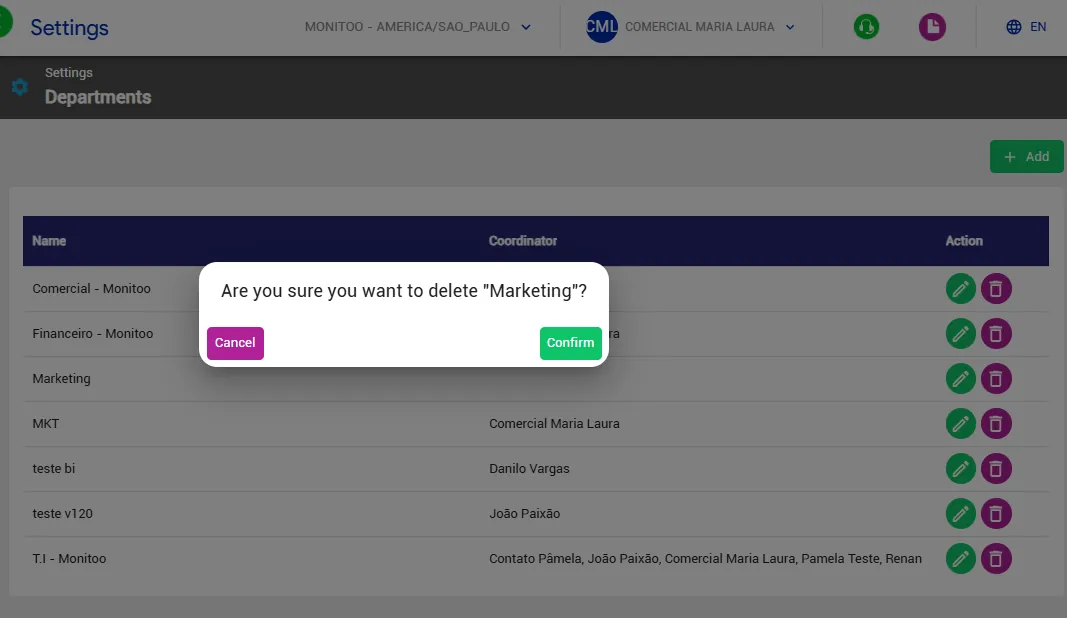
To remove a department, click the trash icon next to its name and confirm the deletion.
This action is permanent and cannot be undone.
Great! Thanks for your feedback.
Tell our team what was missing: contact support on WhatsApp.
