



This behavior usually occurs because two or more machines are using the same Windows user name. When this happens, Monitoo treats them as the same employee, merging the information and causing some users not to appear individually.To fix this, each employee must use a Windows user with a unique name, so that productivity data is recorded separately.We recommend renaming the Windows users to names that clearly identify each person (for example, the employee’s name).Below is a tutorial on how to make this change.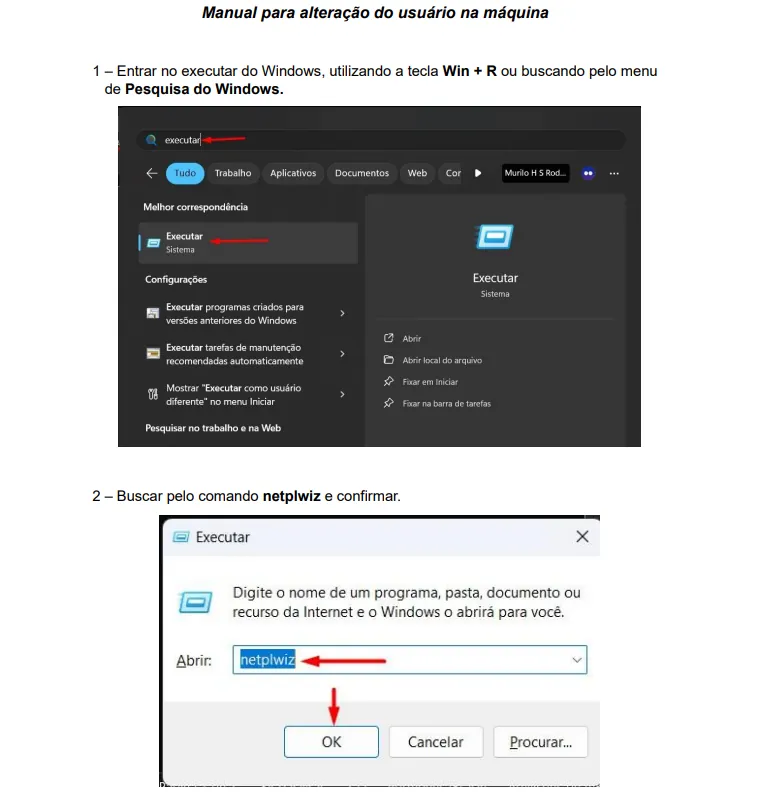
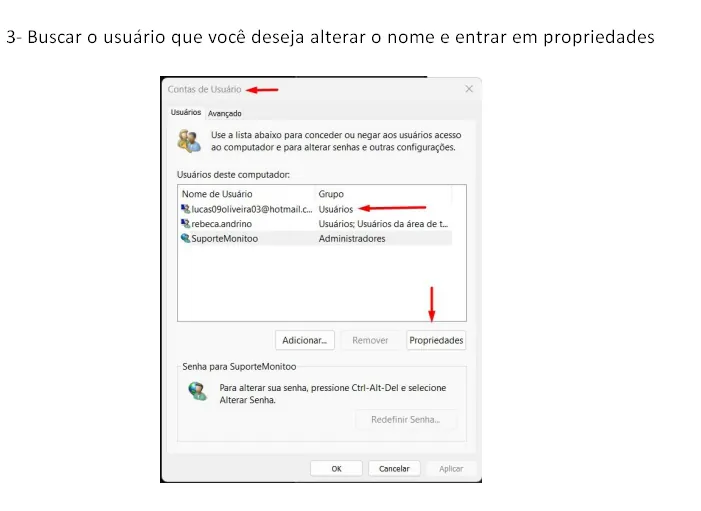
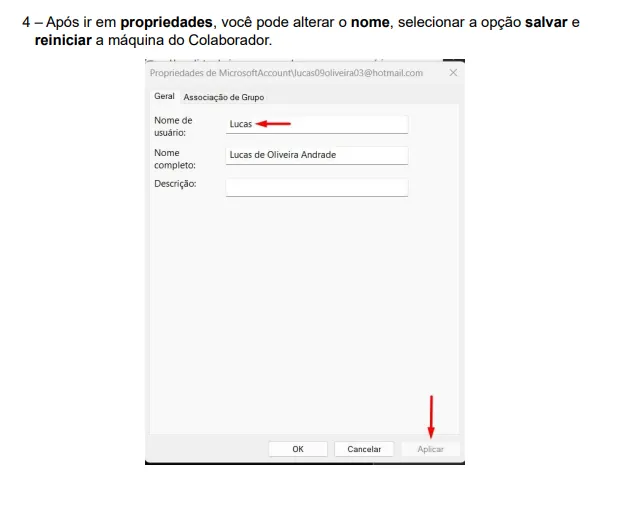 Restart the computer after making this change.
Was this article helpful?
Great! Thanks for your feedback.
Tell our team what was missing: contact support on WhatsApp.
